Build Your Own Website
Ship Your Site
Everyone can get an AI to make a web page. Almost nobody gets one that looks like it was designed, or that ends up anywhere other than a chat window. This is the whole path: decide what the site has to do, write the words first, name a look before you build, build it in Claude Code, claude.ai or Cowork, run the taste pass that kills the AI-generated tells, and put it live on a domain you own. Pick your track — portfolio, local business, product, or services — and you own all four.
What you'll be able to do
A finished, live website you're not embarrassed to send — built in an afternoon, in whichever Claude you already use.
Buy once. Copy every prompt whenever you need it.
Go deeper
- Instant access
- Yours forever — no subscription
Building a bundle? Add more packs and save up to 15%.
Real output
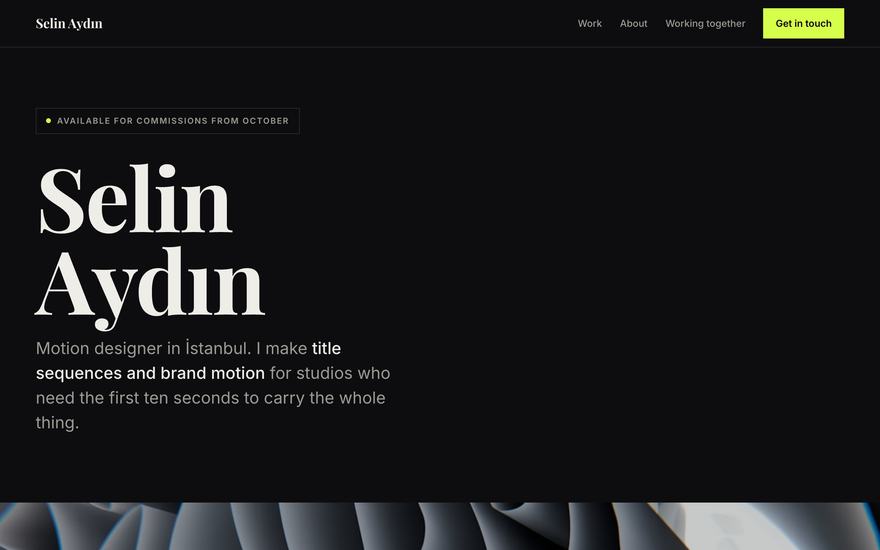
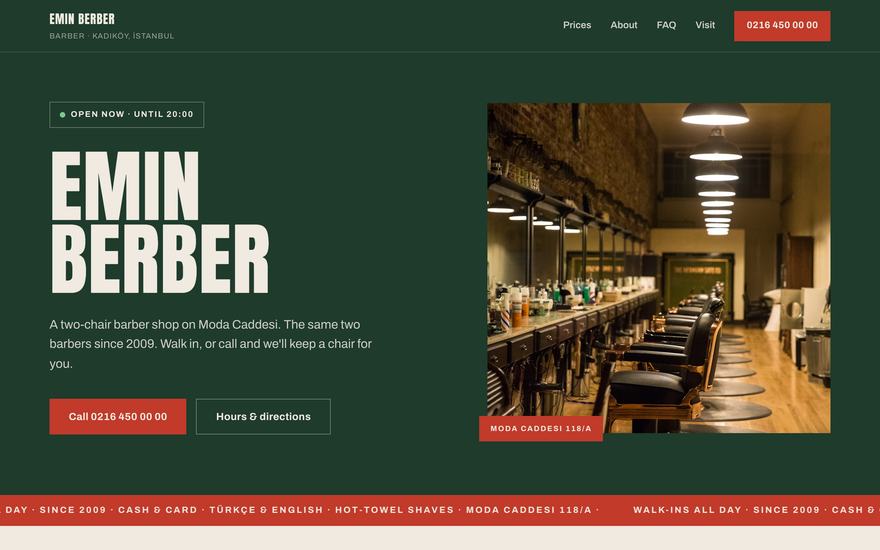
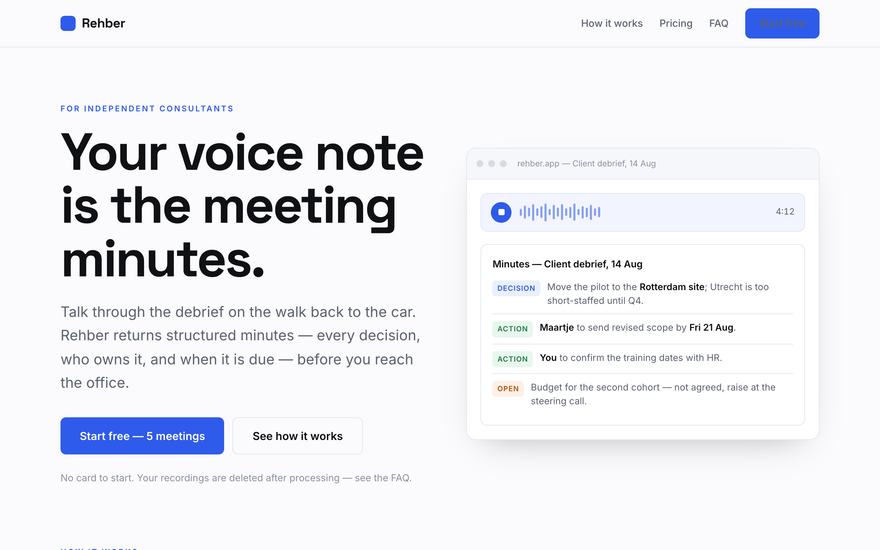
Four finished sites, made with these prompts
Not mockups. Each one came out of the six steps below — open any of them full-screen.

A path, not a pile of prompts
Six steps, in order
Pick where you'll run it and what you're building. You own all four tracks and can switch whenever you like — nothing is locked behind the choice.
Where you'll run it
What you're building
Step 01
Changes with your track
Decide what your portfolio must do
Run this first, before you let Claude near a single line of design. Ten minutes here is what stops you rebuilding the site three times.
Example · Input
I'm a motion designer, 3 years in, mostly freelance. I want studios to hire me for title sequences.
Example · Output
One sentence naming who the site is for and the single action it must produce, the 4–6 sections in order, which 3 pieces of work lead, and what you're deliberately leaving out.
Buy the pack to reveal the full prompt.Step 02
Changes with your track
Write the words first
Paste the brief from step 1. Do this BEFORE any design — a layout built around real words fits; words poured into a finished layout never do.
Example · Input
The one-sentence brief from step 1, plus rough notes about each project.
Example · Output
Every line of text the site needs — headline, project blurbs, the about paragraph, the contact line — written to length and ready to drop in.
Buy the pack to reveal the full prompt.Step 03
Changes with your track
Name the look before you build
The step everyone skips, and the reason their site looks generated. Run it with your copy in hand and keep the output — it's the brief you paste into every build.
Example · Input
Your copy from step 2, plus two or three sites whose look you admire.
Example · Output
A short written direction — typefaces, a five-colour palette with hex codes, spacing, how work is framed — plus what is explicitly banned.
Buy the pack to reveal the full prompt.Step 04
Changes with where you run it
Build it in Claude Code
Run this inside an empty folder in Claude Code. It sets up a real project you own, with the files on your machine and version history from the first commit.
Example · Input
Your copy from step 2 and your design direction from step 3.
Example · Output
A real project on your machine — index.html, styles.css, a git repo with clean commits — built section by section and previewable in your browser.
Buy the pack to reveal the full prompt.Step 05
Same for everyone
The taste pass
Run this on the finished build, in the same chat or session. This is the step that separates your site from every other AI-built page — do not skip it because the site already 'looks fine'.
Example · Input
Your built site, plus a screenshot of it if your Claude can see images.
Example · Output
A ranked list of what makes it look generated, each with the specific fix — then the fixes applied one at a time so you can judge each.
Buy the pack to reveal the full prompt.Step 06
Changes with where you run it
Put it live
Run this in Claude Code when the site is ready. It runs the pre-flight, gets you onto a real host with automatic deploys, then wires up your domain.
Example · Input
Your finished project, and whether you already own a domain.
Example · Output
The site live on a real host, deploying automatically on every push, with the domain records spelled out and the pre-flight checks logged.
Buy the pack to reveal the full prompt.